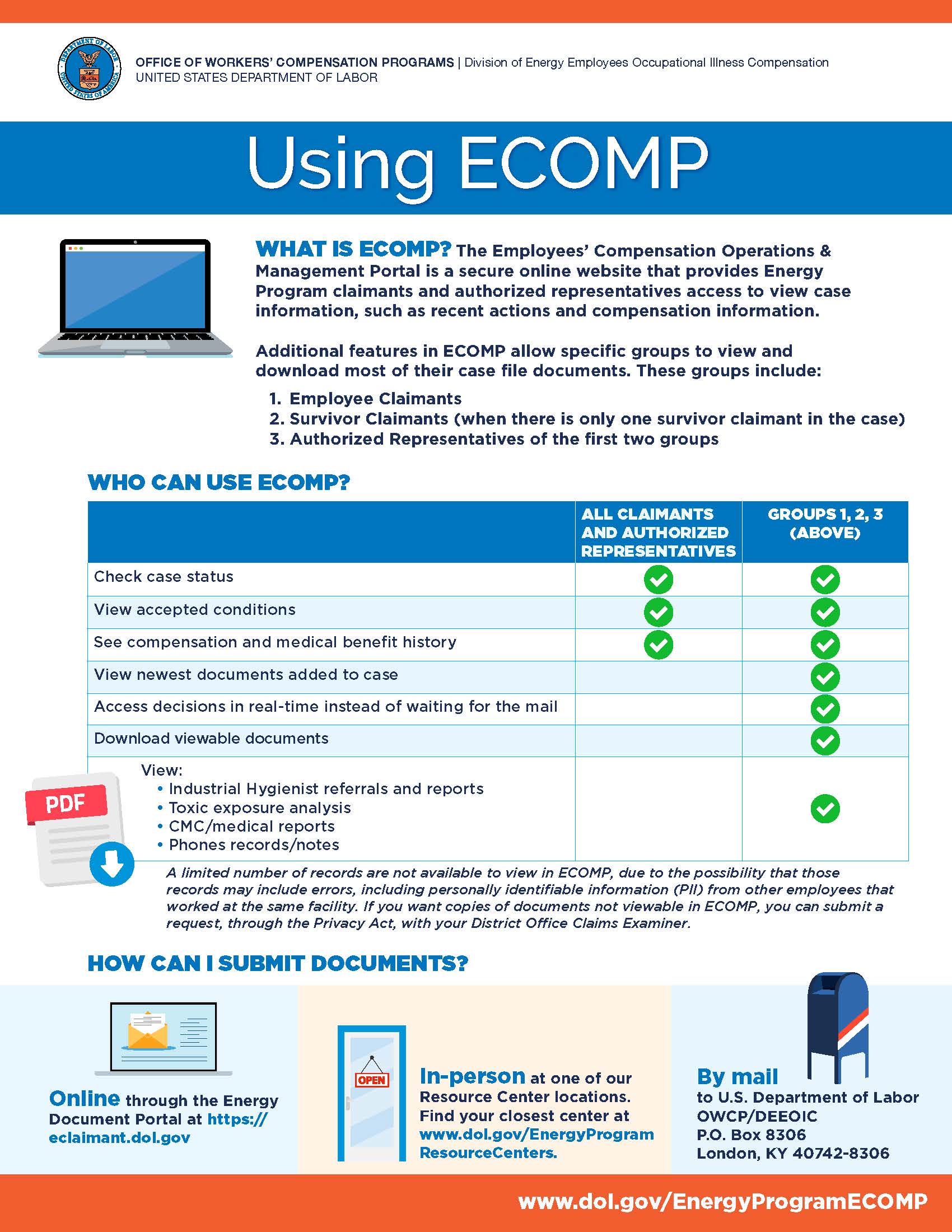
OWCP’s Employees' Compensation Operations & Management Portal (ECOMP) is a secure online website that provides Division of Energy Employees Occupational Illness Compensation (DEEOIC) claimants and Authorized Representatives access to view case information, such as recent actions and compensation information. Additional features in ECOMP allow specific groups to view and download most of their case file documents. These groups include:
- Employee Claimants
- Survivor Claimants (when there is only one survivor claimant in the case)
- Authorized Representatives of the first two groups
The following record types are not available to view in ECOMP, as it has been found that some of the records may include personally identifiable information (PII) from other employees that worked at the same facility. These records include the following:
- Records received from the National Institute of Occupational Safety and Health (NIOSH). (Category: Other Documents, Subject: NIOSH Documents)
- Records received from the Department of Energy (DOE) using the Secure Electronic Records Transmittal (SERT) system. (Category: Employment, Subject: DAR/SERT)
- Any records received from the DOE, other than those received through the Document Acquisition Records request (DAR). (Category: Employment, Subject: DOE Records)
- Documents imaged as part of the Back File Conversion (BFC) process where paper files were converted to electronic files. (Category: BFC Batch, Subject: BFC Batch)
If you would like to obtain copies of documents not available to view in ECOMP as listed above, you can submit a request through the Privacy Act to your District Office Claims Examiner. This process allows Claim Staff to review and correct inaccuracies (including redacting non-claimant personal information within documents) before it is sent to you for your records. Please include the specific categories and subjects you wish to receive in the Privacy Act Request.
Claimants:
To access or register for ECOMP, please click below.
First time users will need to register for access. Your privacy is a top priority. Email verification and identity verification through Login.gov will be required prior to accessing your benefit information. If you need to register for an ECOMP account, please visit our registration page.
Existing accounts periodically need recertified. If recertification is needed, ECOMP will automatically direct users to Login.gov to create an account/sign in.
For assistance with ECOMP passwords, please use the password reset option. For assistance with ECOMP passwords, please use the password reset option.
For assistance with Login.gov account creation or ID verification process, you can obtain help by visiting https://login.gov/help/ or by calling (844) 875-6446, 24 hours a day, seven days a week. For additional support, please direct your ECOMP questions to Support@ecomp.dol.gov.
For step-by-step instructions on how to create, access, and utilize your ECOMP account, please review our user guides.
ECOMP Registration and Guidance
Authorized Representatives:
To access or register for ECOMP, please click below.
Authorized Representative ECOMP Access
First time users will need to register for access. Your privacy is a top priority. Email verification and identity verification will be required prior to accessing your benefit information. If you need to register for an ECOMP account, please visit our registration page.
For step-by-step instructions on how to create, access, and utilize your ECOMP account, please review our user guide for entities (authorized representatives).
DEEOIC Entity Registration and Guidance
For assistance with ECOMP passwords, please use the password reset option.
For additional support, please direct your ECOMP questions to Support@ecomp.dol.gov.